
By Lentin Joseph, CEO, RUNTIME Robotics
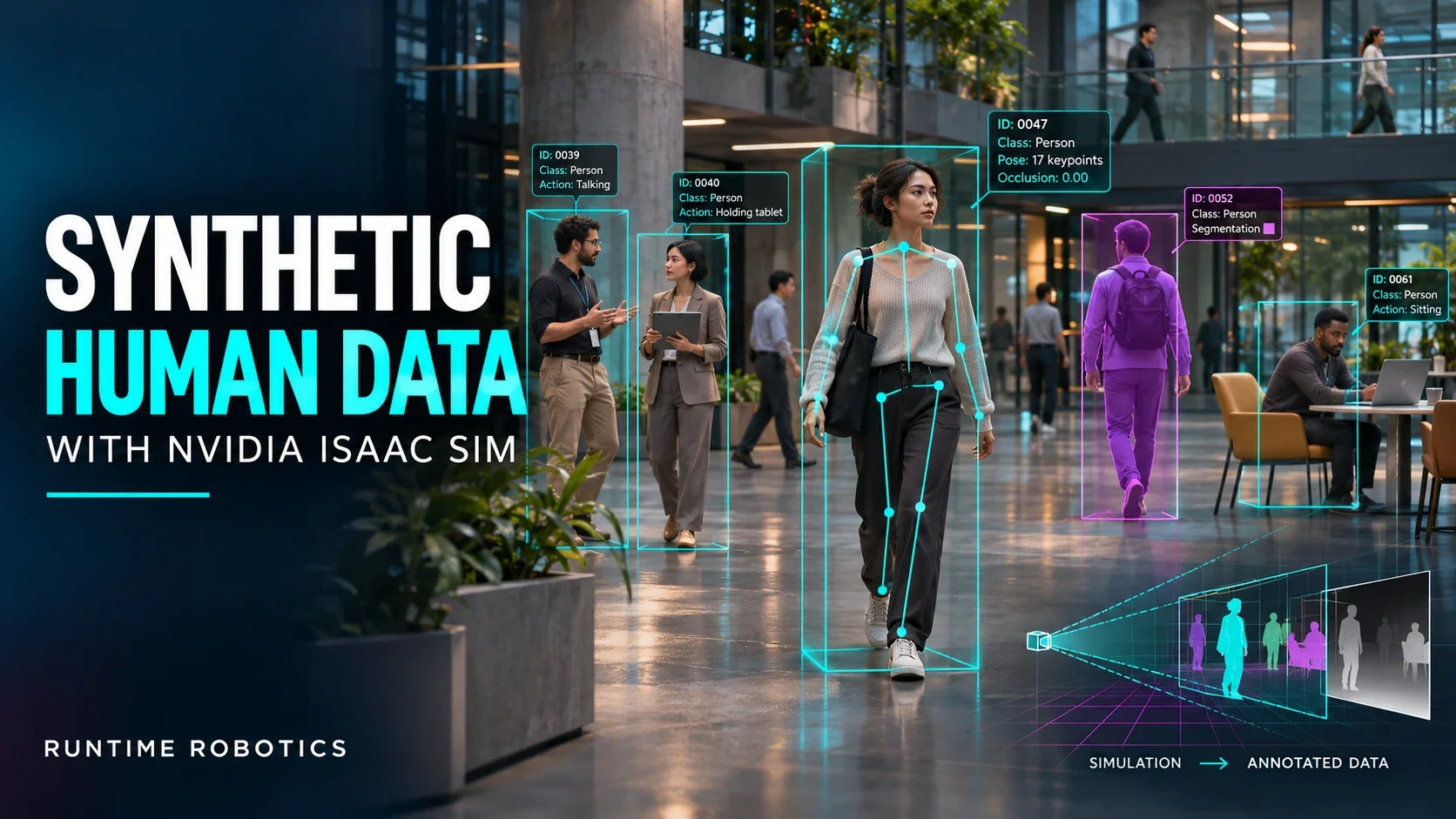
Robots that work around people need to see people: to detect them, estimate their pose and understand what they are doing. Training those perception models needs a lot of labelled human data. Real footage is slow to collect, expensive to label, raises privacy concerns and rarely covers enough body types, clothing and actions.
Synthetic data generation (SDG) helps solve this. You build digital humans in simulation, animate them and let the simulator produce perfectly labelled images. We recently built a complete human SDG pipeline on NVIDIA Isaac Sim 6.0.1, and this post shows what it does.
The pipeline at a glance
- Create diverse human characters in Blender from a simple configuration file.
- Convert them into Isaac Sim-ready USD assets automatically.
- Animate them with NVIDIA’s motion library and custom poses.
- Capture a scripted scenario with a simulated depth camera.
- Validate every frame automatically, and cross-check it with an independent pose model.
1. Diverse humans from a configuration file
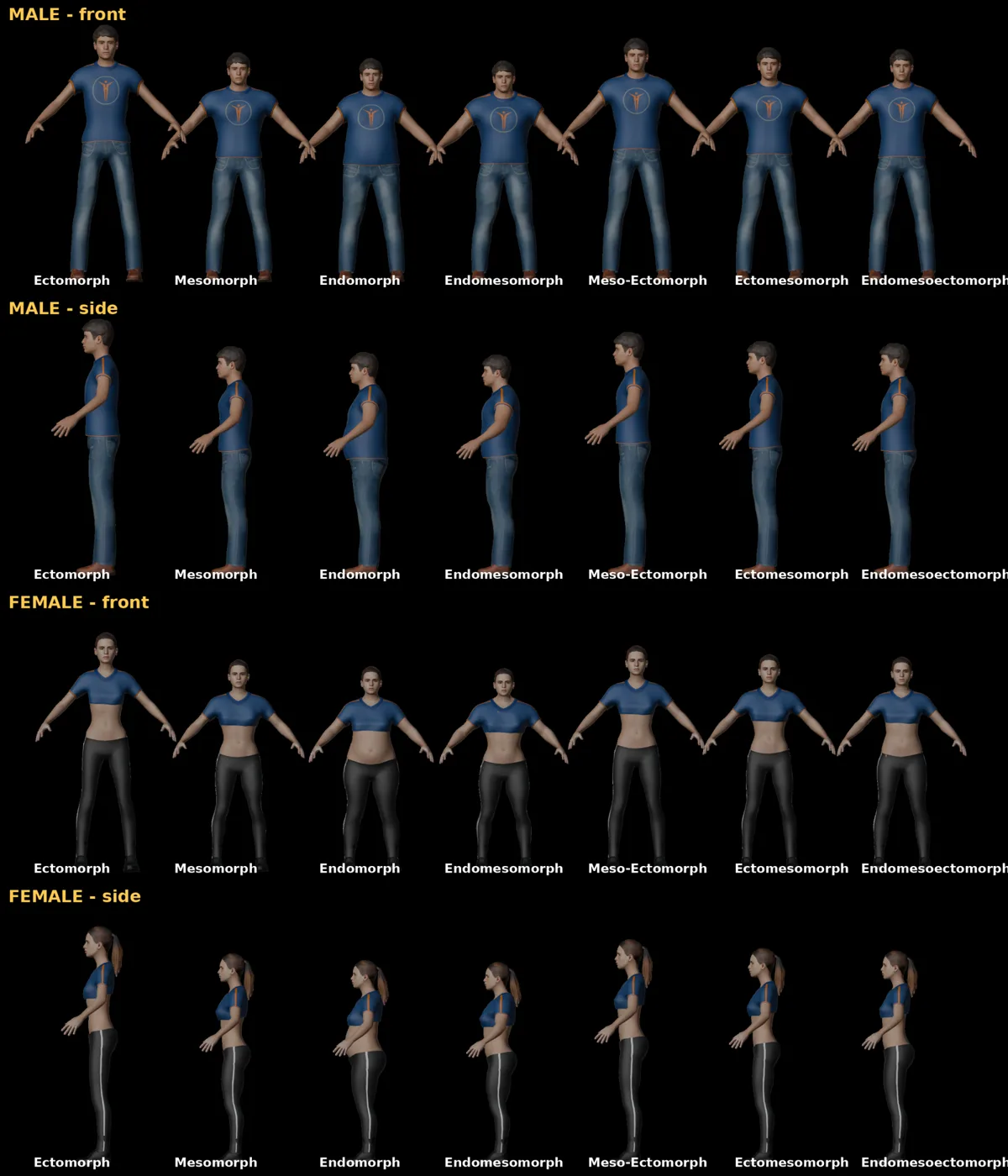
We generate characters with MPFB, the MakeHuman add-on for Blender, running in the background with no manual modelling. A YAML file describes each person: gender, age, muscle, weight, height, ethnicity mix, skin, hair, clothes and shoes. A random mode can generate as many varied people as you need.
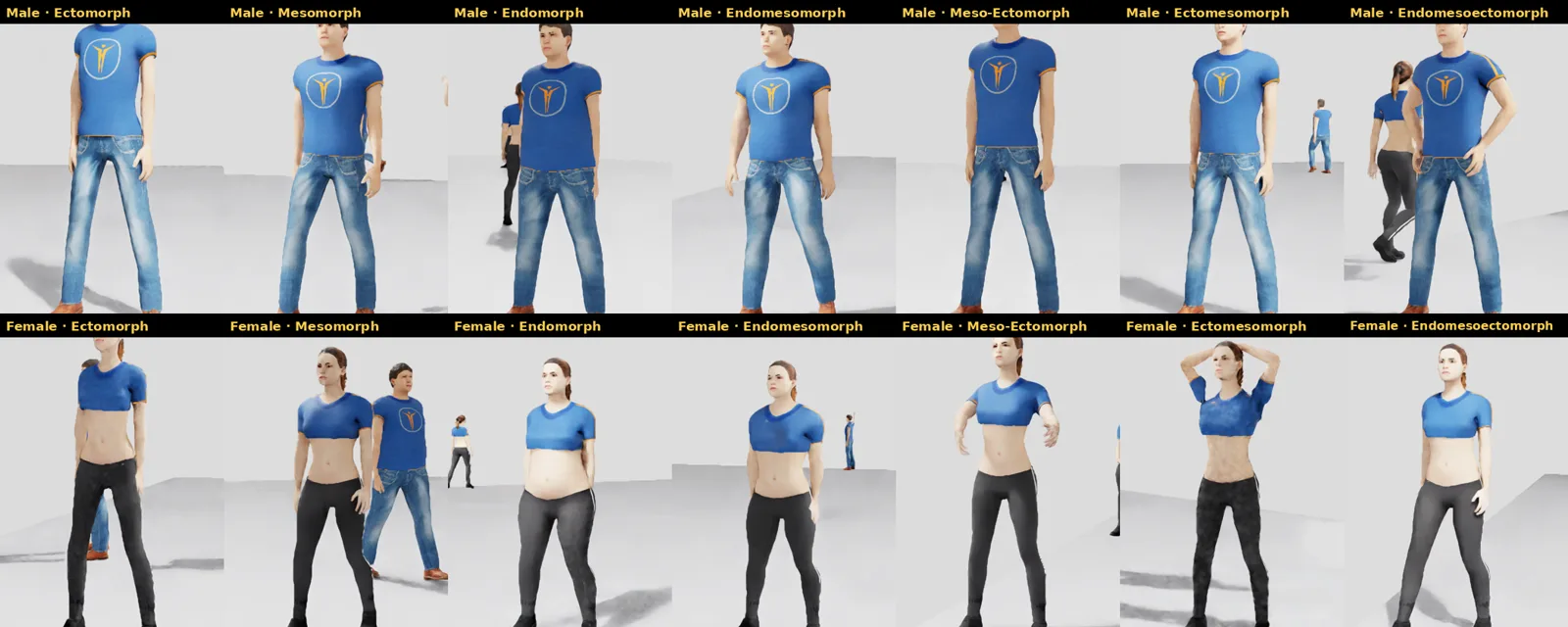
To cover body shape properly, the pipeline supports the seven standard Heath-Carter body types, from Ectomorph to Endomorph, for both sexes. All 14 characters are built in about 20 seconds.
2. From Blender to Isaac Sim, with no manual cleanup
Getting a MakeHuman character to behave in Isaac Sim usually means a lot of manual fixing. Our conversion script handles all of it during export:
- removes helper geometry and skin hidden under clothes
- makes body-shape morphs permanent, so body, clothes, hair and skeleton line up
- moves the skeleton’s root bone exactly to the origin. Isaac Sim’s character behavior setup rejects skeletons whose root is more than 1 mm off, and MakeHuman leaves it a few millimetres away. It’s a small detail that otherwise costs hours of debugging.
- uses a game-engine skeleton that NVIDIA’s human motion library can drive directly
- writes USD files in the folder layout Isaac Sim’s people system expects, without stray lights or cameras
- saves a metadata file with body measurements and surface landmarks for later ground truth
The result: the same characters, walking and posing in Isaac Sim.
3. Bringing them to life
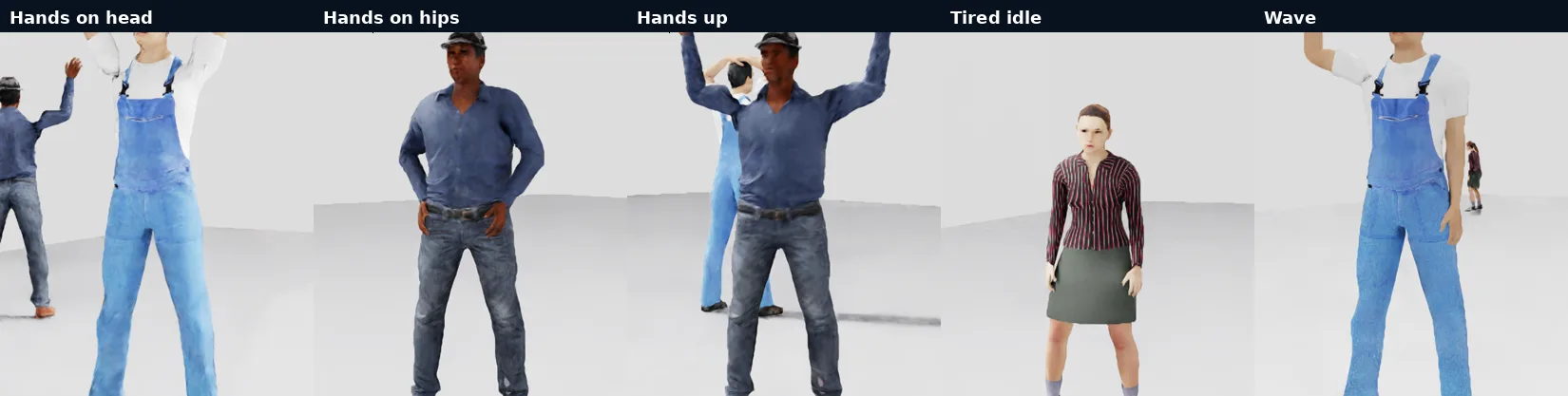
Characters walk around using NVIDIA’s motion library. Between walks, each one performs an action picked from a weighted mix. On top of the library’s walks and idles, we add procedural poses built with arm inverse kinematics, such as hands on head, hands on hips, hands up and waving. New poses are just a few lines of configuration.
4. A scripted scenario and a real camera model
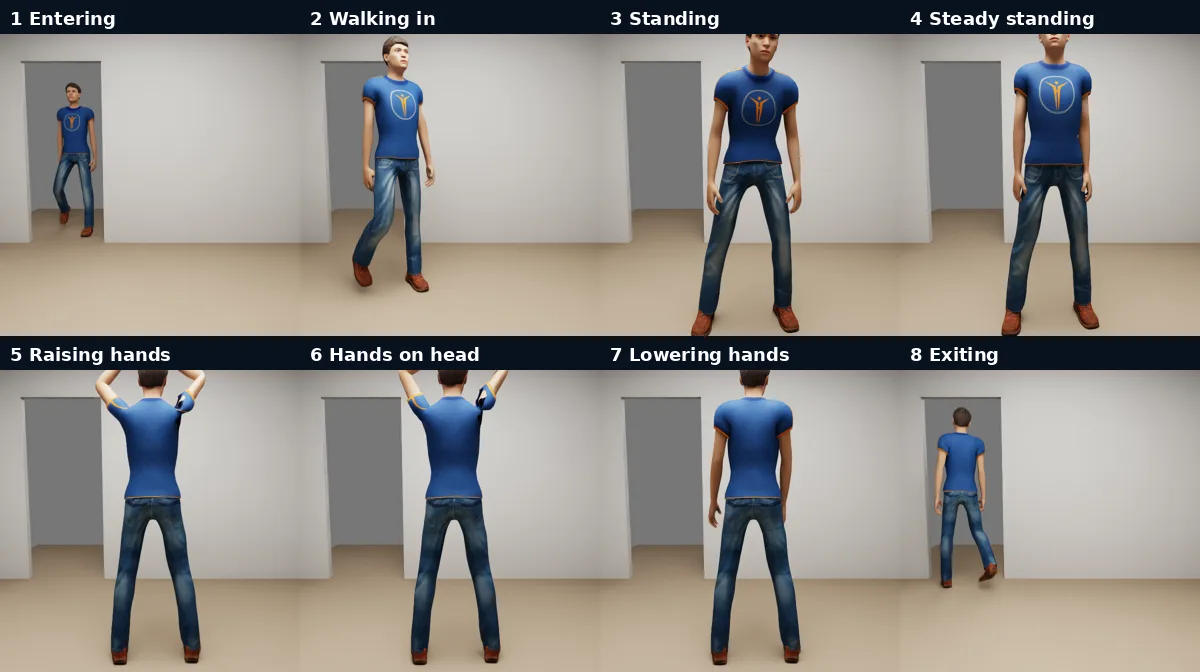
For the dataset, each person walks into a 4 × 4 m room through a door. They stand, hold a steady pose, put their hands on their head, and leave. Every frame is labelled with the current action.
The camera is a simulated Intel RealSense D455 using the real sensor’s lens parameters and resolution, so the images match what a deployed robot would see.
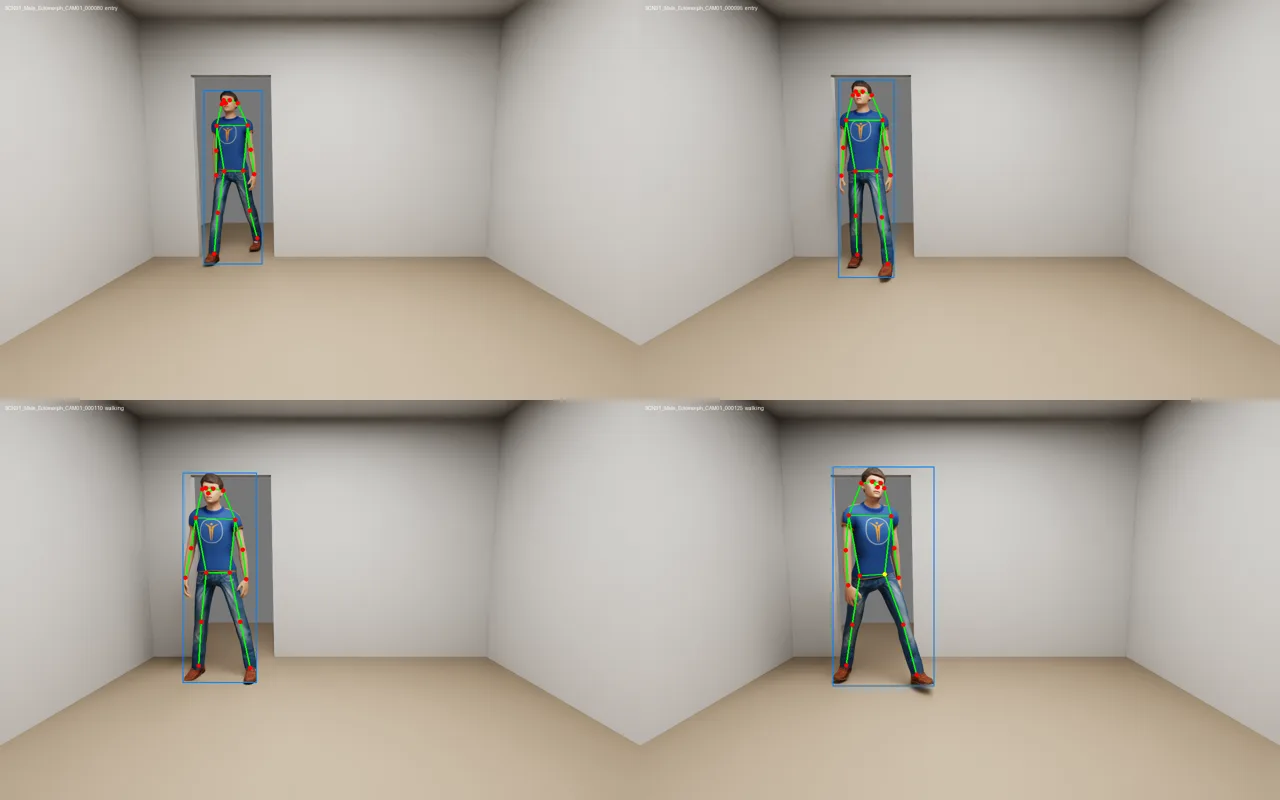
Each frame includes:
| Output | Details |
|---|---|
| Images | RGB (1280 × 800), depth in millimetres, semantic and instance segmentation |
| People | Bounding box, COCO-17 keypoints, 53-joint 3D skeleton, body landmarks |
| Context | Action label, position and heading, camera intrinsics and extrinsics |
| Traceability | Seed, configuration and character hashes recorded in every frame |
5. Validated, not just generated
A dataset is only useful if you can trust it. Every run is checked automatically, and the keypoints are compared against YOLO11-pose, a model that never saw our labels.
On a full run of 14 people and 140 frames:
- 3,262 automatic checks, 0 failures
- YOLO11-pose detected all 140 people, with a mean keypoint similarity (OKS) of 0.945
- the full dataset took about 18 minutes on an RTX 4060 laptop
We also document what the data can’t do yet: depth has no sensor noise, and in our tests the shoulder keypoints sat about 11 pixels from where YOLO places them, because the skeleton’s shoulder joint is inside the body rather than on its surface.
We built the pipeline with Claude Code as our AI coding partner, which let our engineers move quickly from idea to a tested, documented tool.
Need synthetic human data for your robots?
RUNTIME Robotics builds custom simulation and synthetic data pipelines on NVIDIA Isaac Sim and Omniverse. We can adapt this pipeline to your needs:
- Your environment: factories, warehouses, hospitals, retail or homes, built as USD scenes
- Your people: the body types, clothing, uniforms and demographics your robot will meet
- Your actions: gestures, safety poses, falls or task-specific movements
- Your sensors: RealSense, ZED, fisheye or custom cameras, with noise models
- Your format: COCO, YOLO or your own annotation schema, plus validation reports
We also run hands-on training on Isaac Sim and synthetic data for engineering teams.
Learn more about our NVIDIA Isaac and Omniverse development, robot perception and robotics training services, or contact us to discuss your project.