Imagine walking into a kitchen and saying to a robot: “Pick up the red cup and put it in the sink.” No programming, no coordinates, no special app. The robot looks around, finds the cup and does it.
For decades this was science fiction. Almost every robot movement had to be planned and coded by an engineer. A new object, a new kitchen or a new task meant writing new code. Vision-Language-Action models, or VLAs, are changing that. They are a big part of why you now see videos of robots folding laundry, clearing tables and packing groceries from simple spoken instructions.
This guide explains VLAs from scratch. You don’t need any background in AI or robotics. We’ll use the red-cup example all the way through.
Three kinds of AI model
You have probably used a chatbot such as ChatGPT or Claude. It is built on a large language model (LLM): you give it text, it gives you text back. A VLA is a close relative. The easiest way to understand it is to see how three related kinds of model would handle our red-cup request.
- An LLM can only read and write text. It can describe how to pick up a cup, but it can’t see the kitchen and can’t move anything.
- A vision-language model (VLM) can also look at images. Show it a photo and it can tell you where the cup is. It still only answers in words.
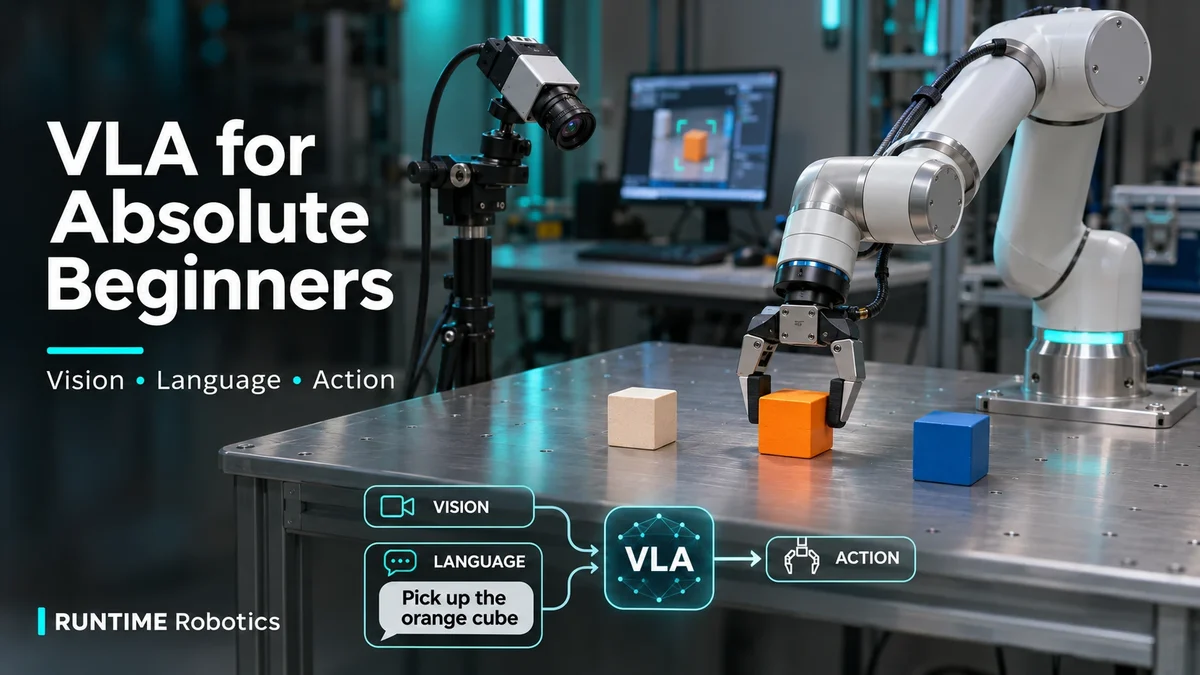
- A vision-language-action model (VLA) looks through the robot’s camera, reads your instruction and answers with actions: small, precise movements for the robot’s arm and gripper.
That last step is the big idea. A VLA is essentially a VLM that has learned to “speak robot”.
What happens inside a VLA
A VLA is one model, but it helps to think of it as a short pipeline. Every fraction of a second, the same steps repeat.
- See. A vision encoder turns the camera image into a list of numbers called tokens. Think of it as translating a picture into a language the model understands.
- Read. Your instruction, “pick up the red cup”, is also turned into tokens.
- Think. A language model, the same kind of “brain” inside a chatbot, takes both sets of tokens together. Because it was trained on huge amounts of internet text and images, it already knows what a cup is, what “red” means and what a sink looks like.
- Act. Instead of writing a sentence, the model produces action tokens. An action decoder turns those into real movements: move the hand a little forward, rotate the wrist, close the gripper.
Then the robot takes a new photo and the loop runs again. A basic VLA doesn’t plan the whole task in one go. It keeps looking and adjusting, much as you do when you reach for something.
How can words become movements?
This is the clever part. A chatbot writes one word at a time by predicting the most likely next word. A VLA does the same thing with movements: it predicts the next small action.
When Google DeepMind introduced RT-2 in 2023, it wrote each robot action as a short string of numbers that the model could produce exactly like words. One action said whether to keep going, how far to move the hand in three directions, how to rotate it and whether the gripper should be open or closed. Picking up a cup is just a long sequence of these tiny steps.
Newer VLAs often skip the “numbers as words” trick and output smooth, continuous movements directly, sometimes several steps at once. The idea is the same: the model predicts what to do next, again and again, while watching the world.
How a VLA learns
Nobody writes a VLA’s skills by hand. It learns them, in two stages.
Stage 1: learn about the world. The model starts as a vision-language model trained on enormous collections of images and text from the internet. This is where it learns what cups, sinks and the colour red are, without ever touching a robot.
Stage 2: learn to act. The model is then trained on robot demonstrations: recordings of a robot doing tasks, usually guided by a person with a controller or a matching arm. This is called teleoperation. Each recording pairs what the camera saw and what the instruction was with the movements that followed. After seeing thousands of these, the model learns to produce the right movements itself.
Robot demonstrations are the expensive part. Internet text is plentiful, but most robot demonstrations need real hardware, a real scene and a person’s time. That is why research groups share demonstration datasets, and why simulation and synthetic data are becoming so important. Our post on synthetic human data in NVIDIA Isaac Sim shows what that looks like in practice.
VLAs you’ll hear about
A few names come up again and again. You don’t need to remember them, but they show how fast the field is moving.
- RT-2 (Google DeepMind, 2023) popularised the term vision-language-action model. It was built on Google’s vision-language models and wrote actions as text-like tokens.
- OpenVLA (2024) is an open-source, 7-billion-parameter VLA anyone can download. It was trained on about 970,000 robot demonstrations from the shared Open X-Embodiment dataset.
- π0, or pi-zero (Physical Intelligence, 2024) produces smooth, continuous motor commands up to 50 times per second. Its demos include folding laundry, bussing tables and assembling boxes.
- NVIDIA Isaac GR00T (2025 onward) is NVIDIA’s family of open models for humanoid robots. They take camera views, an instruction and the robot’s current state, and predict the next chunk of movements.
- SmolVLA (Hugging Face, 2025) is a small, open VLA of about 450 million parameters. It is light enough to run on a laptop and was trained on datasets shared by the open-source community, many recorded on low-cost SO-100 robot arms.
Which ones can you try?
| Model | Made by | Size | Can you download it? |
|---|---|---|---|
| RT-2 | Google DeepMind | Built on large Google models | Research model (paper and demos) |
| OpenVLA | Open-source research team | 7 billion parameters | Yes, open checkpoints |
| π0 | Physical Intelligence | Built on a 3-billion-parameter VLM | Yes, via openpi (Apache-2.0) |
| Isaac GR00T | NVIDIA | Latest version: 3 billion parameters | Yes, open models |
| SmolVLA | Hugging Face | About 450 million parameters | Yes, and it runs on a laptop |
“Parameters” are the numbers a model learns during training. More parameters usually means a more capable model, but also one that needs a more powerful computer.
See it in action
Here NVIDIA introduces GR00T N1, an open foundation model for humanoid robots. Watch for the same loop described above: cameras in, instructions in, movements out.
What VLAs are good at, and where they struggle
Where they shine:
- Following plain language. You describe the task. You don’t program it.
- Handling new things. Because they learned from the internet, VLAs can often handle objects and scenes they never saw during robot training.
- One model, many skills. A single model can pick, place, open, fold and sort, instead of one program per task.
Where they still struggle:
- Reliability. A VLA might succeed nine times and fail on the tenth in a surprising way. Factories and warehouses need far better than that.
- Speed and computing power. Large models need powerful onboard computers to react quickly enough.
- Data. Good robot demonstrations are slow and costly to collect.
- Safety. A model that guesses is not the same as a system you can certify around people.
That last point matters most. In real deployments, a VLA should never be the only thing in charge.
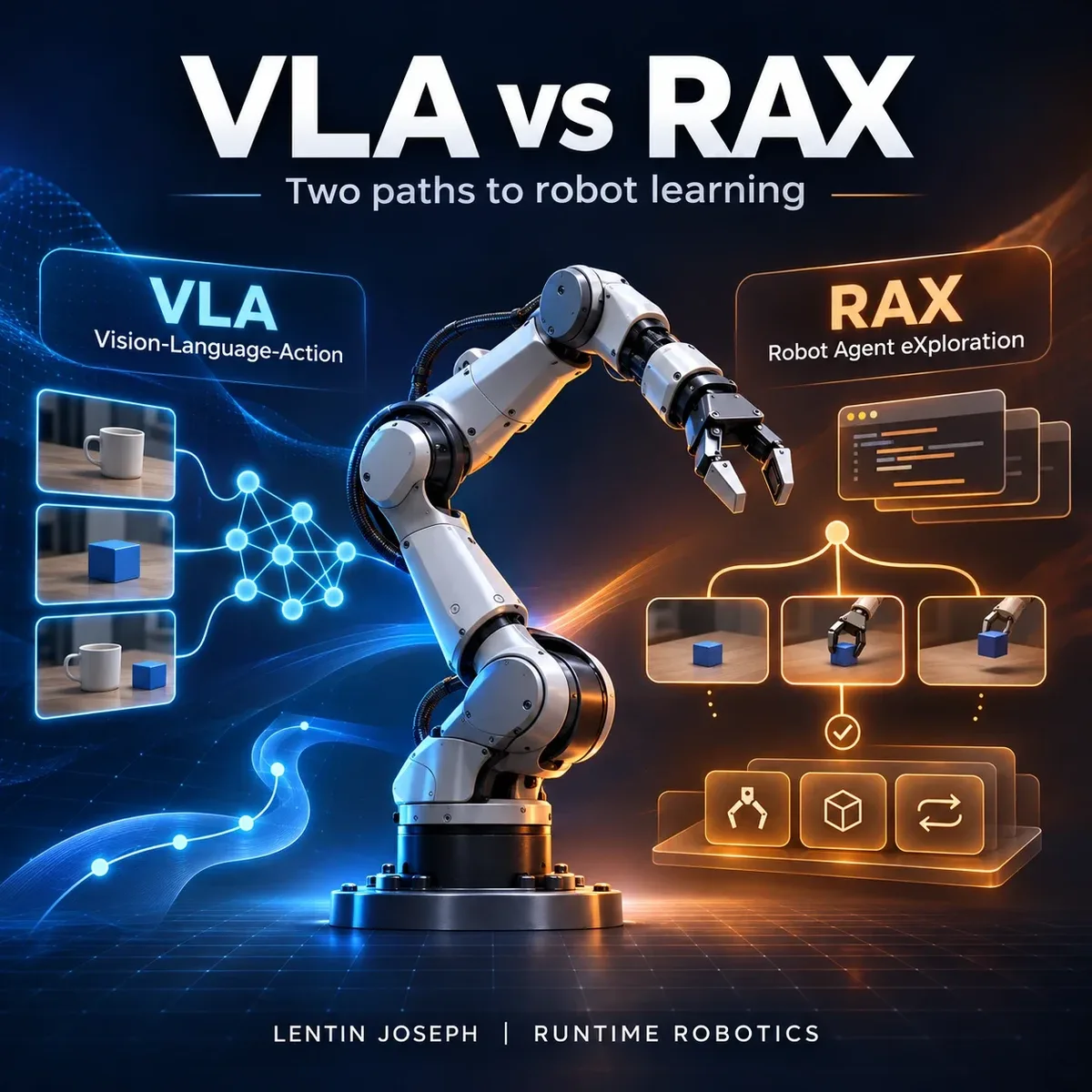
The VLA proposes a movement. Safety layers and controllers that engineers can test and certify decide what actually reaches the motors. We cover this in more depth in Physical AI in Production, Explained. For a look at a different way robots can learn, by exploring and writing their own code, see VLA vs RAX.
Where does ROS 2 fit?
A VLA is a “brain”, but a real robot needs much more than a brain: camera drivers, motor controllers, safety limits, maps and navigation. In many robots, especially in research and newer robot products, these pieces are connected with ROS 2, the Robot Operating System.
In a typical setup:
- A camera driver node publishes images on a ROS 2 topic, a named channel other programs can listen to.
- The VLA policy runs as its own node. It listens to the camera topic and the instruction, and publishes the next movement targets.
- ros2_control controllers turn those targets into motor commands, inside the speed, force and workspace limits engineers have set.
This keeps the VLA swappable. You can try a new model without rewriting the drivers, controllers or safety system. It is also how we build VLA applications at RUNTIME Robotics: the AI suggests, and a well-tested ROS 2 stack does the rest.
How to try a VLA yourself
You don’t need a lab to get started. Here is a path from zero to running your own model:
- Watch and read. Browse the demo videos on the model pages linked above to build an intuition for what VLAs can and can’t do.
- Start in simulation. Simulators such as NVIDIA Isaac Sim and Gazebo let you test robot software without buying hardware or breaking anything.
- Get a low-cost arm. Affordable open-source arms such as the SO-100 and SO-101 work with Hugging Face’s LeRobot library. You can record your own demonstrations and fine-tune a small model like SmolVLA.
- Follow a hands-on workshop. Our open workshop material on GitHub walks through these steps:
- VLM Robotics Workshop: vision-language models on TurtleBot 4, Unitree Go2, Franka and Spot in ROS 2 and Gazebo
- Sim-to-Real with SO-101: an end-to-end workflow with the SO-101 arm, Isaac Lab and Isaac GR00T
- Physical AI with ROS 2: perception, planning and control for intelligent robots
Beginner questions
Is ChatGPT a VLA?
No. ChatGPT is a chatbot built on language and vision-language models. It can describe how to pick up a cup, but it can’t control a robot. Many VLAs are, however, built on the same kind of model, then trained further on robot data.
Do I need a robot to start?
No. You can learn the ideas, run robot simulators such as NVIDIA Isaac Sim or Gazebo, and explore robot datasets that people share on Hugging Face, all on a computer. A low-cost arm is a good next step once you want to see a model move something real.
What computer do I need?
It depends on the model. Small models such as SmolVLA are designed to run on a laptop and train on a single consumer graphics card. Larger ones, such as the 7-billion-parameter OpenVLA, need a powerful GPU to run quickly enough to control a robot.
Will VLAs replace traditional robot programming?
Not soon. VLAs add a flexible “brain” for understanding scenes and instructions, but real robots still need carefully engineered drivers, controllers, safety systems and integration, usually built with ROS 2. The two work together.
Glossary
- Token: a small piece of information a model works with, such as part of a word, a patch of an image or one robot movement.
- LLM (large language model): an AI model that reads and writes text.
- VLM (vision-language model): an AI model that understands images and text together.
- VLA (vision-language-action model): a VLM that also outputs robot actions.
- Vision encoder: the part of the model that turns an image into tokens.
- Action chunk: several future movements predicted at once, so the robot moves smoothly instead of stopping after every step.
- Embodiment: a robot’s body type, such as an arm, a humanoid or a wheeled robot. Datasets like Open X-Embodiment mix many embodiments so one model can learn from all of them.
- Policy: in robotics, the “decision maker” that chooses the next action from what the robot sees.
- Gripper: the robot’s “hand”, usually two fingers that open and close.
- Teleoperation: a person controlling a robot remotely, often to record demonstrations.
- Pre-training: the first, broad stage of training on general data such as internet images and text.
- Fine-tuning: further training on a smaller, specific dataset, such as robot demonstrations.
- Simulation: a virtual world for testing robots safely before using real hardware.
Want to build with VLAs?
VLAs are moving fast from research demos to real products. Turning one into a reliable robot application takes the right data, careful evaluation and solid safety engineering around the model.
RUNTIME Robotics helps teams prototype and deploy VLA and VLM robot applications, from first experiments in simulation to controlled real-world testing. We also run hands-on robotics training for engineers who want to learn these tools. Get in touch to talk about your project.